


Understanding what phishing is is very important to avoid becoming another victim of cybercriminals, as phishing is a type of fraud carried out electronically. This fraud aims to acquire the user's personal data, such as CPF (Brazilian tax ID), bank account numbers, passwords, RG (Brazilian national ID), and other confidential information.
Previously, phishing also focused on stealing files such as music, documents, and personal images, but it has modernized and expanded its methods, becoming increasingly dangerous attacks that can cause many problems for companies.
If you have an email account or social media profile, you've likely encountered phishing before. In short, phishing is the fraudulent attempt to steal personal information through social engineering: the act of criminal deception.
The first cases of phishing
These cases occurred more than twenty years ago . In the early 1990s, attackers targeted the America Online (AOL) , using instant messaging to trick users into revealing their passwords.
It didn't take long for these threat actors to identify higher-value targets, pressuring innocent victims to "verify their billing information" under the threat of urgent account deletion. Through this evolution, criminal groups can obtain not only victims' AOL credentials, but also their bank account and payment card details.
AOL has intensified its anti-fraud operations, implementing new measures to proactively expel accounts involved in phishing. This was a decisive move that led attackers to jump ship in search of new opportunities.
More than 400,000 phishing websites detected per month in 2016
According to the Webroot Phishing Threat Trends from December 2016, more than 400,000 phishing websites were detected per month in the last year.
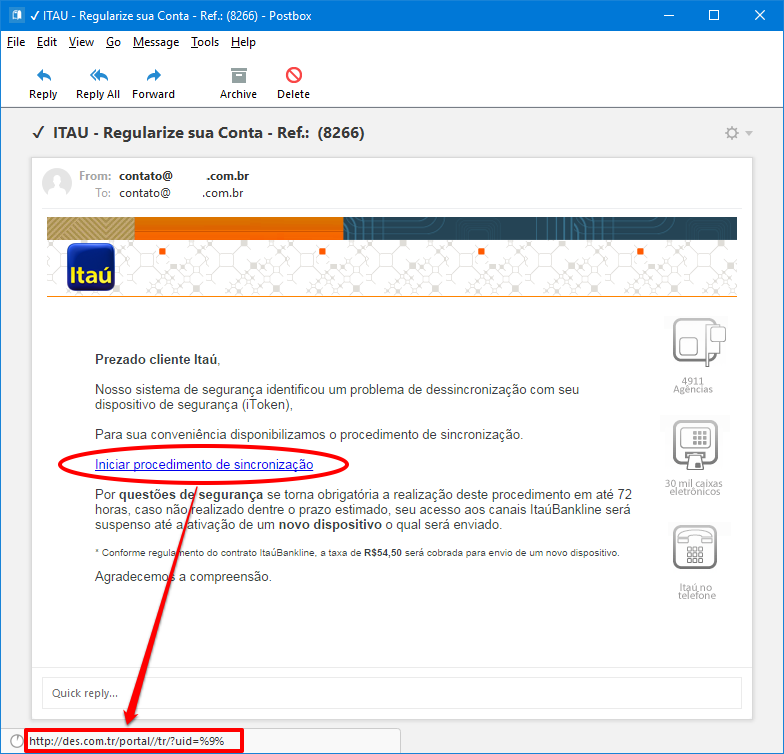
Phishing attacks use social engineering techniques to convince victims that they can trust what they are seeing and can provide important data. For example, a email requesting personal information for a legal process, or a fake page perfectly mimicking a bank's website and requesting passwords.
Phishing attacks have become increasingly sophisticated and developed to obtain sensitive information. Most attacks currently use tools that automate the creation of phishing websites, causing them to exist for less than 24 hours – the average lifespan is 15 hours. This makes it more difficult for traditional security tools to block this type of threat nowadays.
Hal Lonas, CTO of Webroot, stated that “years ago, these sites could last for weeks or months, giving organizations enough time to block the attack method and prevent more victims from falling for the scam. Now, phishing sites appear and disappear in the time it takes to break a coffee, leaving all organizations, no matter the size, at serious and immediate risk of phishing attacks.”.
Source: Webroot Quarterly Threat Update
How to remove and prevent phishing?
There is no way to completely remove phishing threats; they can definitely be detected. Having a way to monitor your website and being cautious about what should and shouldn't be there is crucial. If possible, regularly update your website's core files.
To protect yourself against phishing, some special precautions are necessary, such as:
- Do not open email attachments that you did not previously request.
- Practice good habits and don't click on links included in unsolicited emails.
- Protect your passwords and always use strong passwords.
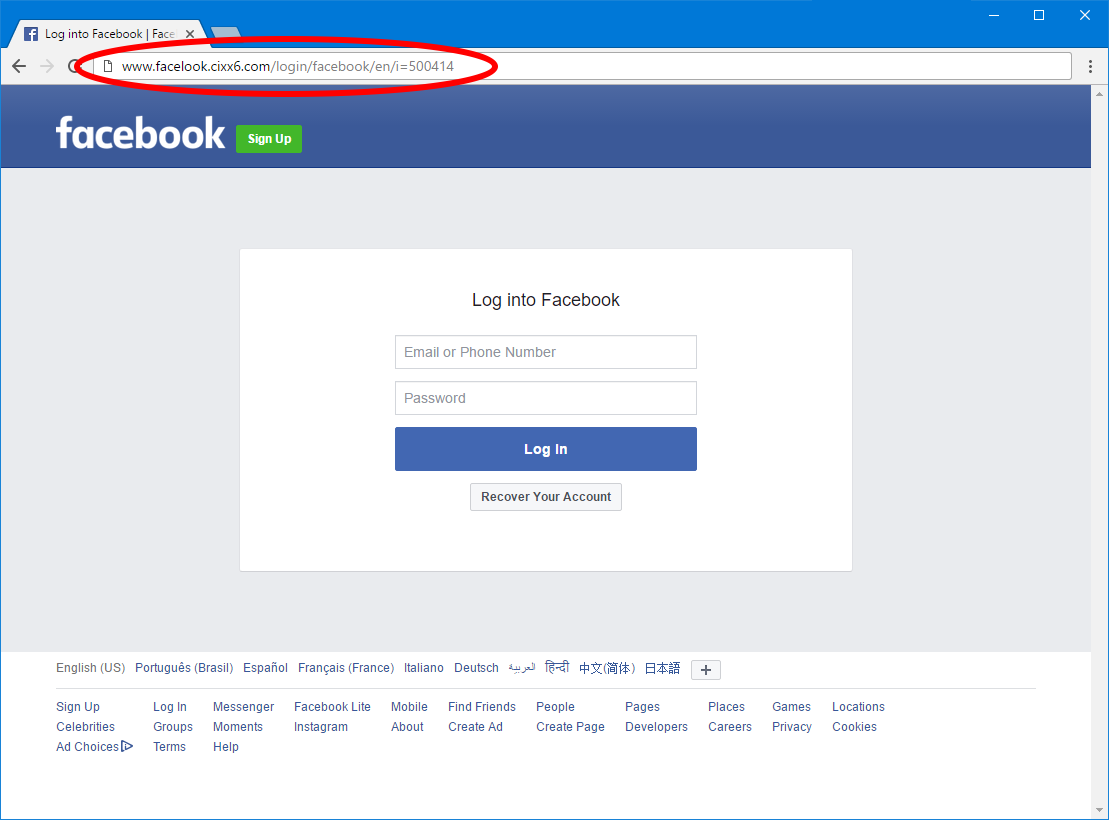
- Check the website's URL. In many phishing cases, the email address may appear legitimate, but the URL may be misspelled or the domain may be different (.com when it should be .gov). This usually immediately reveals the use of phishing.
- Keep your browser up to date and use security updates for your computer and system.


9 comments
Comments closed