


The current pandemic scenario has led many companies to adopt work-from-home policies for some or all of their staff. However, if productivity was already hampered in the conventional work model, it has become even worse with remote work. Employees are at home, without any kind of supervision or control, and often accessing the internet remotely without any security tools.
A VPN is a great way to remotely access files and data on your company's equipment and also browse the internet securely, therefore, it's a tool to prevent cyberattacks and solve security problems. Furthermore, with Lumiun's Business VPN, it's also possible to control internet access for employees working from home.
Over the past few weeks we've talked quite a bit about VPNs:
- What is it and what are the best options?
- Advantages of Virtual Private Networks (VPNs) for businesses
- How to connect via mobile phone
For managers' peace of mind, there's the possibility of monitoring remote access to increase team productivity. You might be wondering how this can be done? I'll explain it in a very simple way below.
Establish a VPN connection

To monitor remote access, the first step is to establish a VPN connection on all devices used by the entire team working from home. We've put together a guide with all the steps so you can easily set up the connection.

After establishing the VPN connection, the user's computer, whether at home or elsewhere outside the company premises, will be connected to the internal network. This allows them to establish a remote desktop connection to the computer connected to the company network, and also access files and systems on the internal network's servers and computers in a more secure way.
Lumiun Control Panel
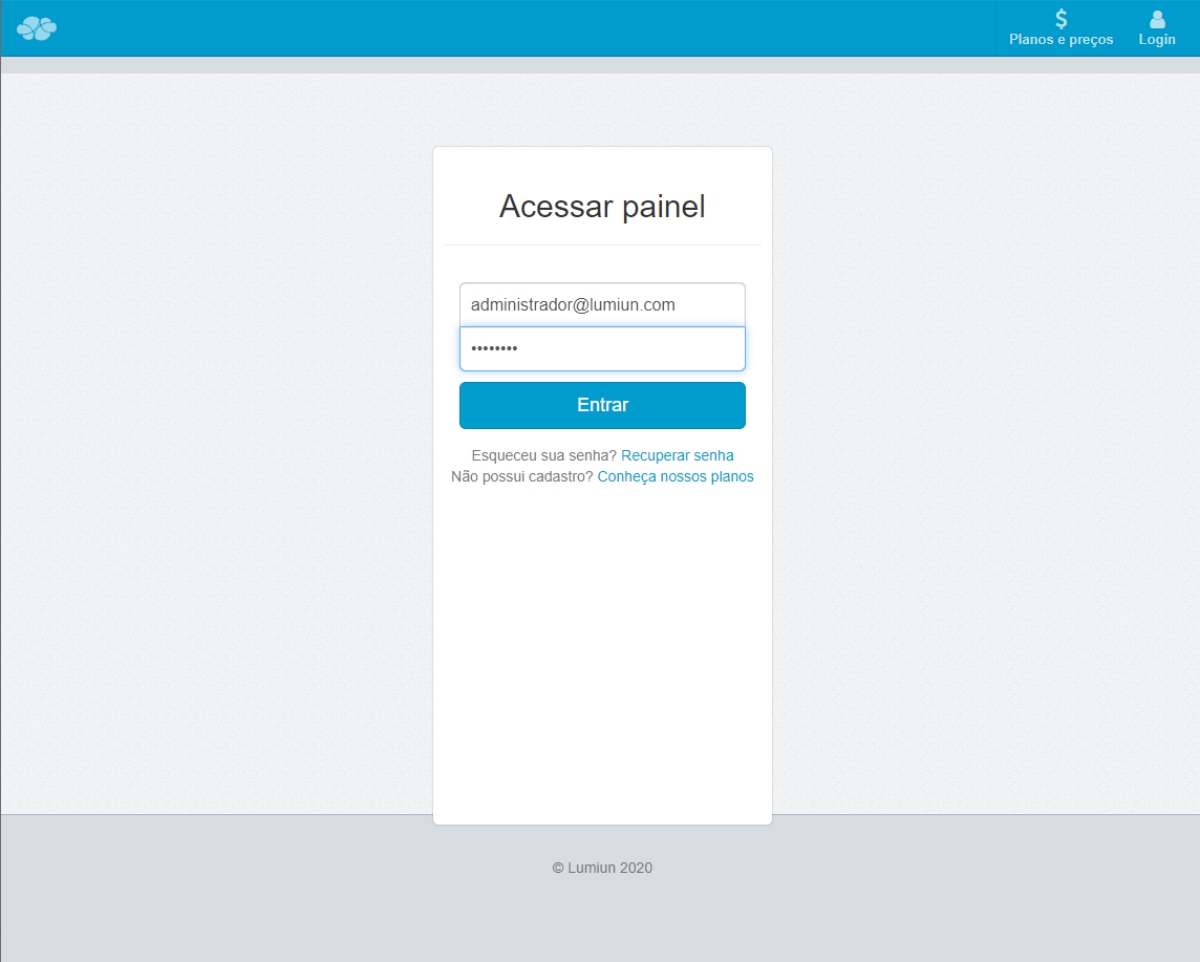
In order to monitor which users are connected via VPN and which websites they are accessing, you must log in to the Lumiun control panel with an Administrator user account.
Permissions
For a user to be able to connect to the VPN, you, as the administrator, need to authorize the connection.
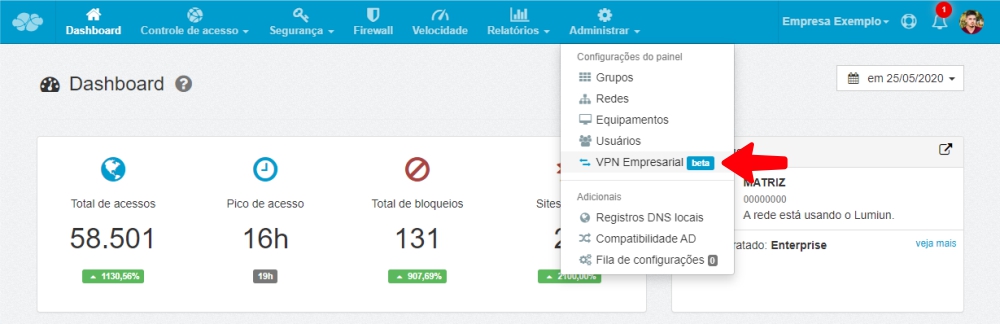
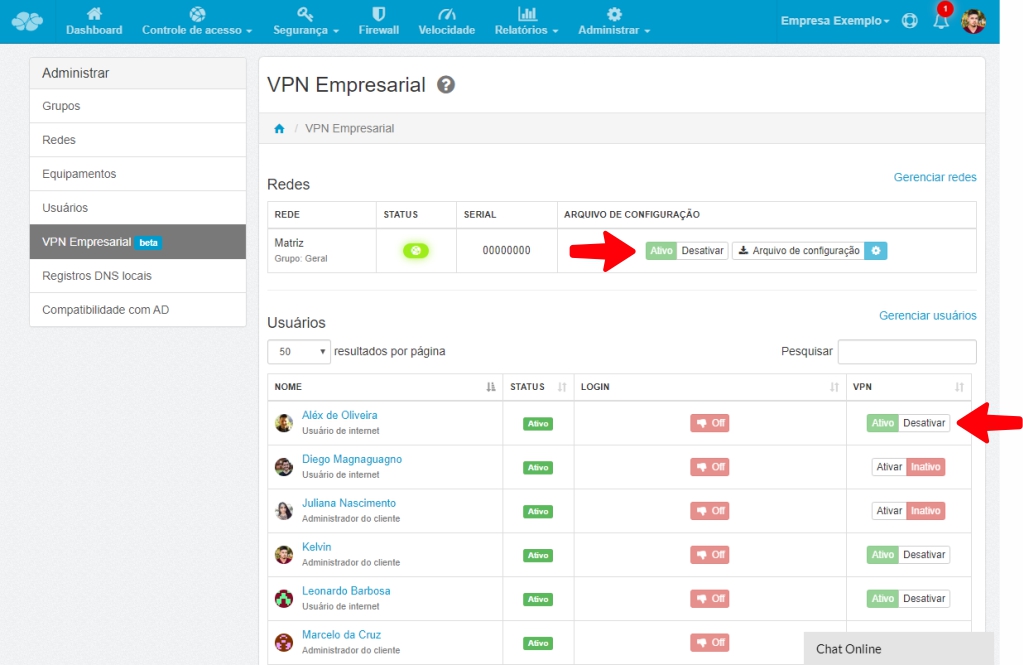
In the Lumiun Business VPN panel, enable the VPN and the users who are authorized to connect.
Monitoring
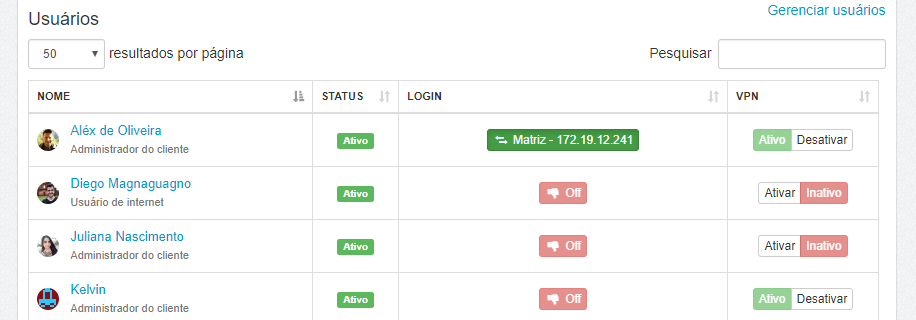
You can monitor which users have established a VPN connection. This way, you can see who is connected to the company's server or equipment.
Access Control
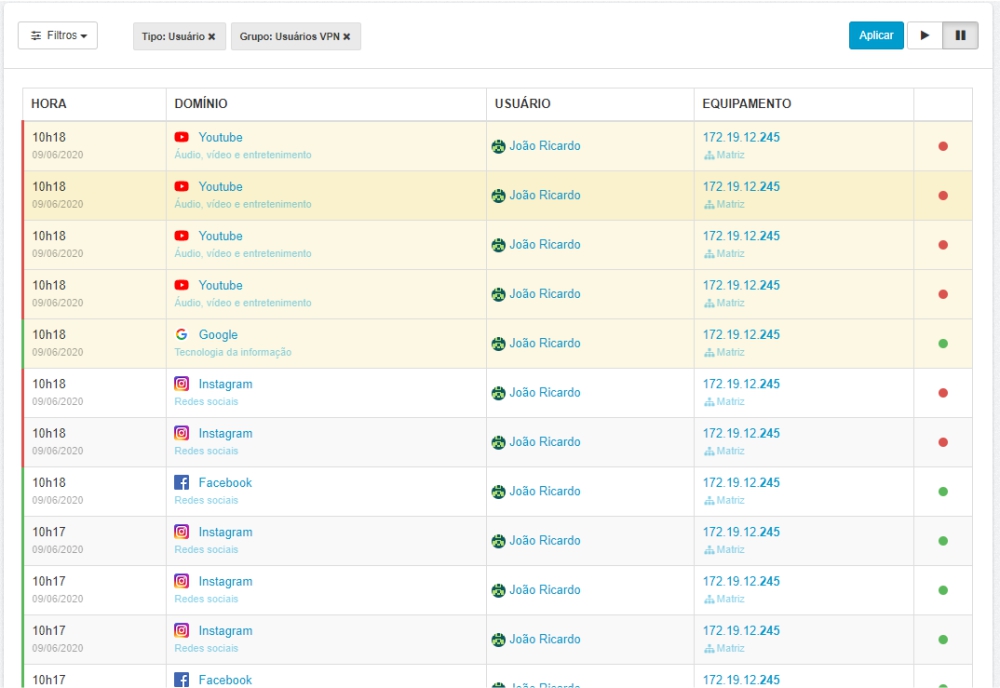
This is where the magic happens. Users who establish a Lumiun Business VPN connection will have all access to any type of website monitored. The Lumiun control panel provides a real-time report of access by user.
Access rules
In addition to monitoring, the director or technical manager can define rules for accessing specific websites and also at specific times.
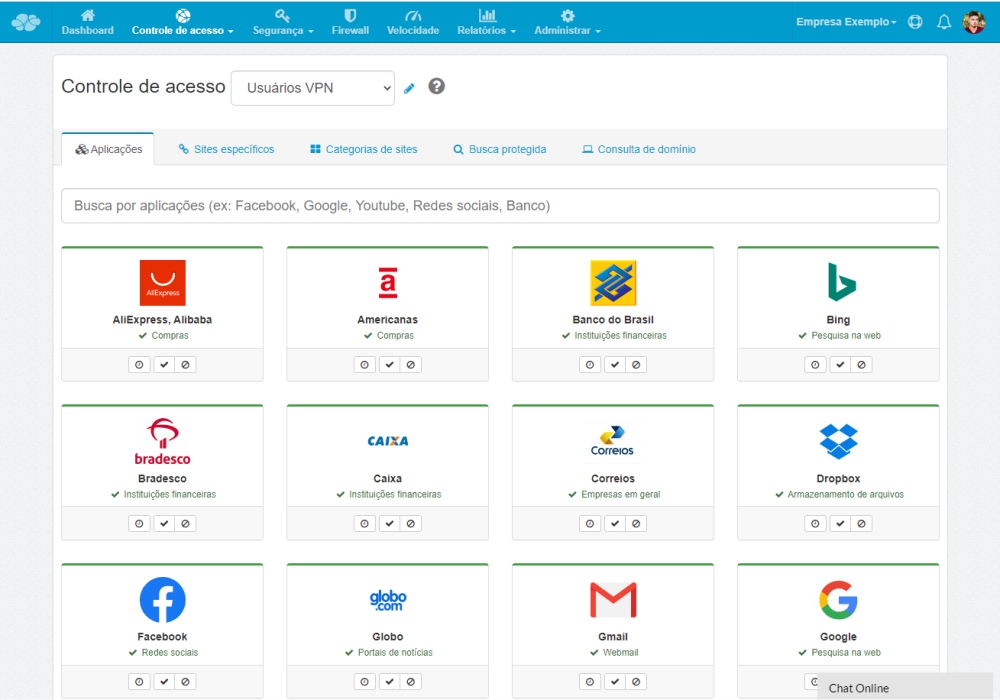
Note that you can determine which websites will not be accessible. This way, access is blocked automatically, without the possibility of breaking the rule.
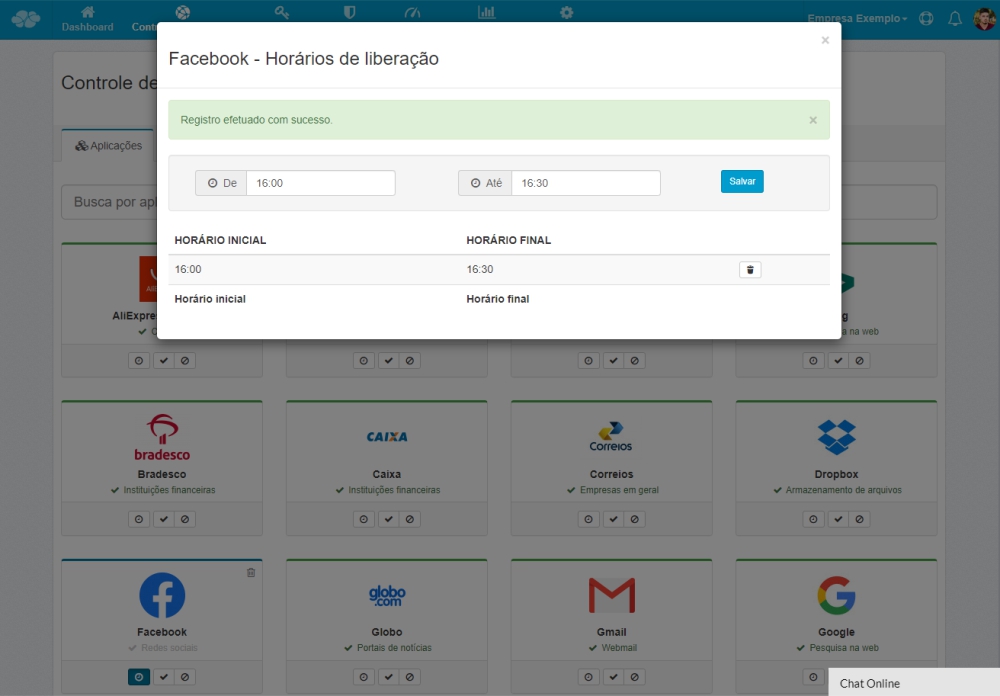
Furthermore, you can determine the times when access to social media, for example, is allowed. Let's suppose that the afternoon work break, according to your company's guidelines, is between 4:00 PM and 4:30 PM. Access to websites that are not within the scope of work will only be allowed during this time, as you can see in the image below.
Security
In addition to monitoring remote access, improving employee focus and reducing distractions, controlling website access through rules inhibits access to harmful sites and the download of malicious files. The equipment the employee is accessing is better protected, as are the company's data and information stored there.

Conclusion
We know that in the current economic climate of the country, there are numerous concerns. But I believe that data security in companies may be compromised, with so many professionals working remotely and accessing sensitive company data remotely. Furthermore, I have seen many business owners from various sectors worried about the gradual reduction in productivity due to the lack of access control in remote work. Therefore, I believe this article has addressed some doubts and served as a relief from a significant concern for business owners and technical managers.
Until next time!


2 comments
Comments closed