


Hey everyone, I'm back to tell you about the latest update to the Lumiun control panel to improve the "Speed Limit" functionality.
What is the Speed Limit feature?
This feature, as the name suggests, adds a download and upload speed limit to all devices in a given group. This way, you can use Lumiun to better distribute your internet bandwidth, preventing some devices from overloading your system or allocating better speeds to the group of devices that truly need them.
This feature is only available for the Enterprise .
Let's get to the news!
The latest update we're making available to our customers is the new page for adding speed limits.
If you were already an Enterprise plan customer, you'll remember that there was a field to enter a number in Mbit/s on the "Access Control" page. And that number limited both download and upload speeds. It was simple, functional, but quite limited, don't you think?
Check out the animation below to see what's been updated =D
![[Click on the image to enlarge] Speed limit](https://www.lumiun.com/blog/wp-content/uploads/2017/08/limite-velocidade.gif)
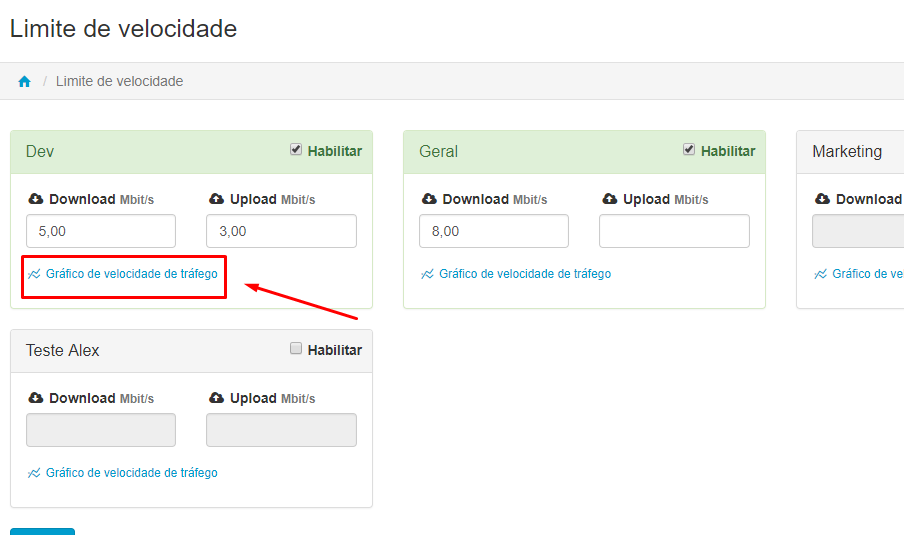
To verify that the rule has been applied, you can click on the "Traffic speed graph" link located below each group, as illustrated in the image below, and monitor whether the limits are actually taking effect.
So, did you like the new feature? Do you have any questions? Get in touch, leave a comment. We are always working to improve our customer experience.
If you're not yet a customer, request a free demo and see firsthand how Lumiun can help manage your company's internet access.


