


One of the things we enjoy most here at Lumiun is meeting our customers' needs with new features. So, what better way to celebrate than by sharing this exciting new feature with you? We've developed a tool to link access control to another group , making it even easier to set up new groups.
Read the article to understand how this feature can be used.
What are Groups?
First, if you're not yet a Lumiun customer, I need to explain the group feature to you. If you're already a customer, skip to the " Let's get to the new feature " section below.
If your company is using Lumiun, all devices (computers, cell phones, tablets, etc.) and/or users that connect to the internet are linked to Groups. From there, you can create multiple groups and drag devices or users between them to better organize access control.
For example, you can create a group called "Management" and drag the directors' equipment into it, or create a group called "Finance" and drag the finance department's equipment into it.
With the devices organized into groups, you can then allow or block websites and categories only for devices within a specific group. Furthermore, you will also be able to view detailed information about all access from devices within a given group.
If you want to know more details, watch this video .
Let's get to the news.
This update will greatly simplify the creation of new groups and avoid wasting time adding websites and website categories with restrictions or access times.
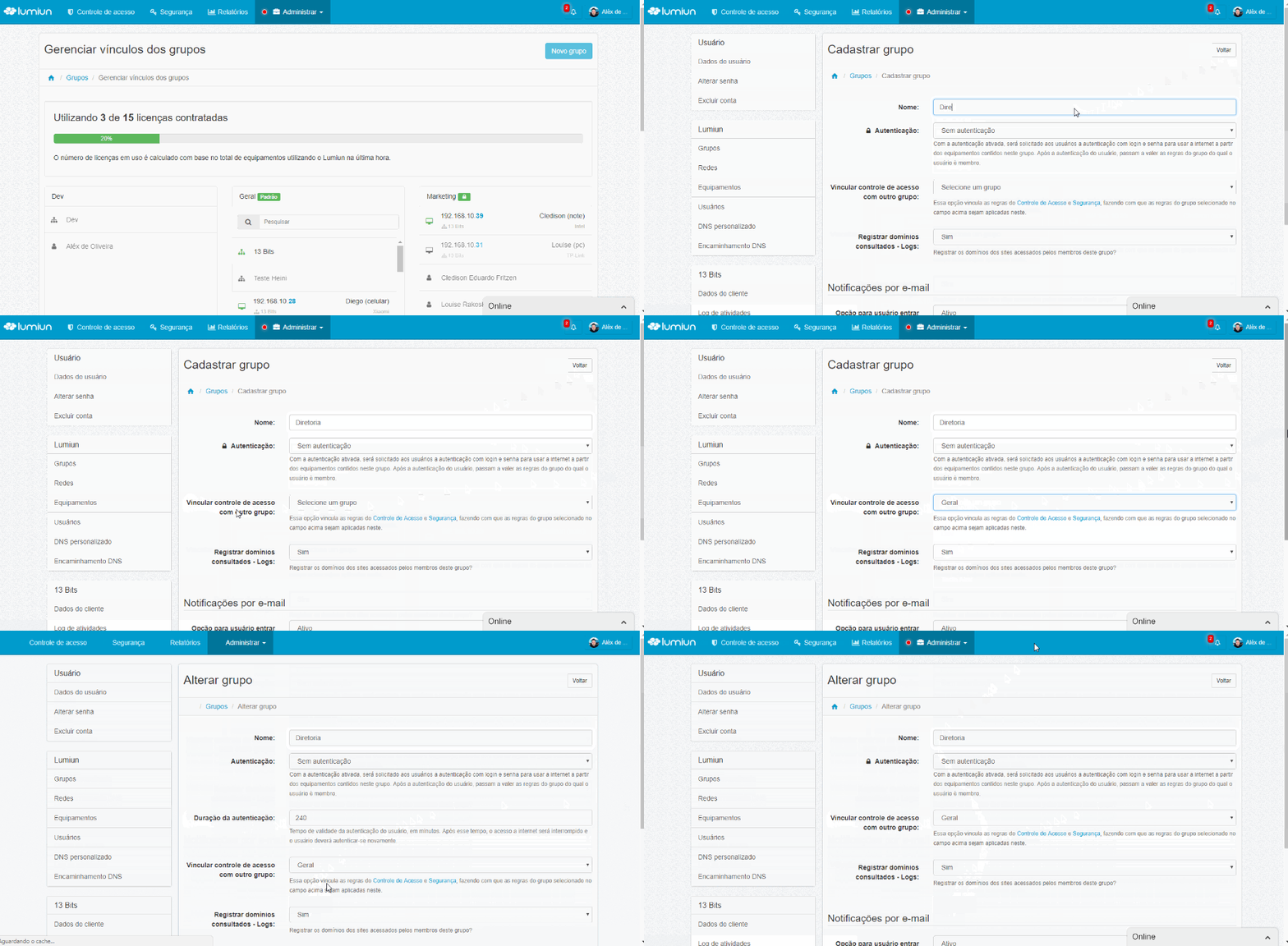
This field is optional , and if you select an option, the group being created or modified will have the same access control and security as the selected group .
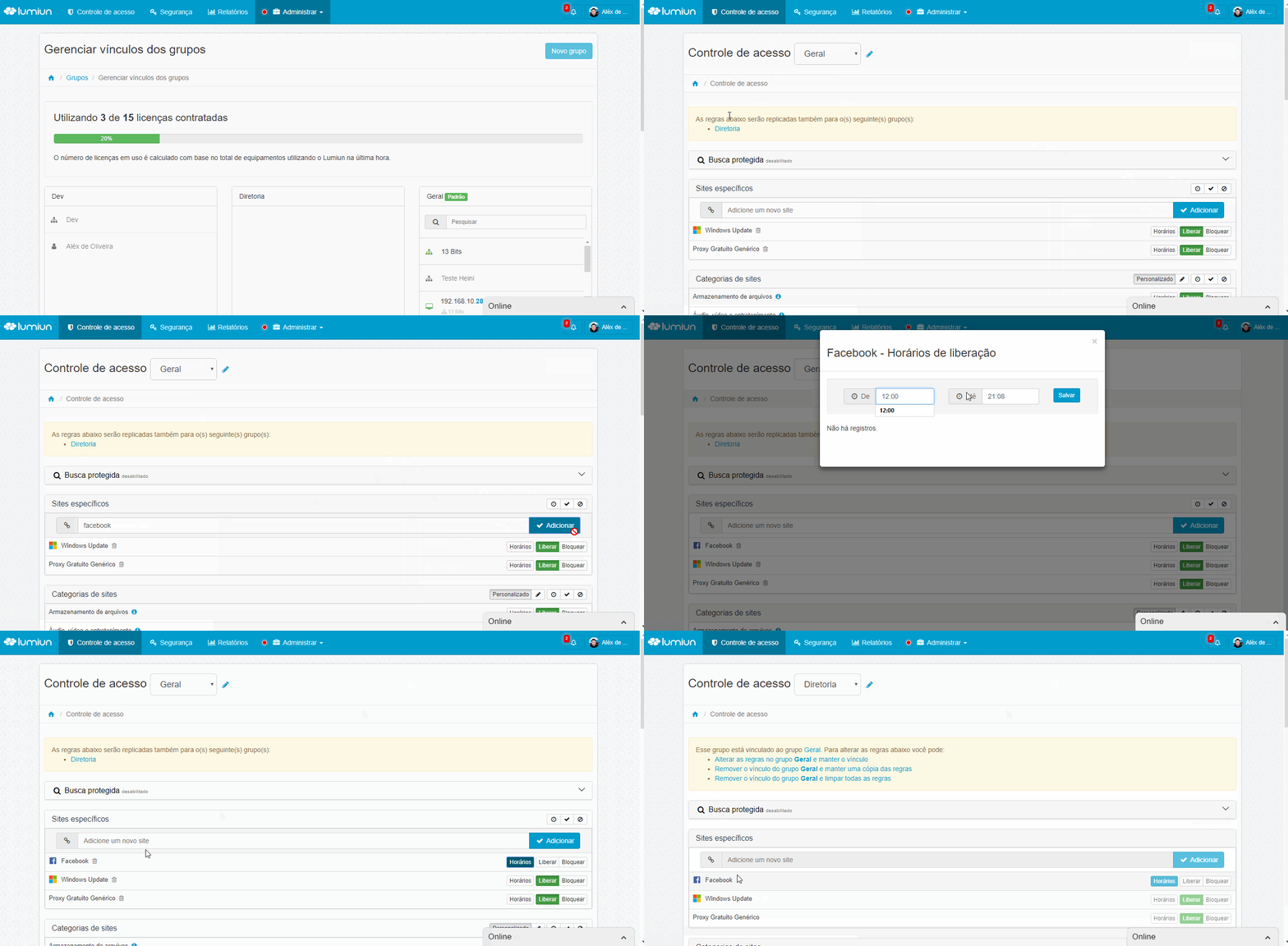
Now you can register rules in a single group and replicate them automatically to all linked groups. You can also create a new group starting with predefined rules and then remove the link while continuing with the previous rules. Or, you can remove the group link and clear all access control and security rules.
Did you like the news? Do you have any questions? Get in touch, leave your comment.
We are always working to improve our customers' experience.
If you're not yet a customer, request a free demo and see firsthand how Lumiun can help manage your company's internet access.


