


Does your company use a firewall? How do you protect your network boundaries? Is perimeter protection important? Let's review some concepts to help answer these questions.
firewall
A firewall is a security device that controls data flow on a network. It allows you to filter traffic, configuring what should pass through and what should be discarded. It can be installed between two distinct networks, between two segments of the same network, or even on a terminal device connected to the network.
The origin of the term firewall explains its concept well. The word emerged in the 17th century to identify a type of wall, used in civil construction, whose material prevented the spread of fire. These fire-resistant walls, or firewalls, were used to increase the safety of buildings, preventing a possible fire from spreading to other parts of the building.
When properly configured on a computer network, a firewall acts as an additional layer of protection against external attacks and increases the security of the network, equipment, systems, and company information. Typically, a firewall is one of the main defenses at the perimeter of a private network, being an essential component in protecting against unwanted traffic and intrusion attempts.
In an IP firewall, the most traditional structure allows the creation of rules for blocking or allowing packets based on characteristics such as protocols (TCP, UDP, ICMP, etc.), services (HTTP, HTTPS, IMAP, SMTP, etc.), ports (individual ports, lists, or port ranges), and source and destination IP addresses of the traffic, including host addresses, networks, and address ranges. It is possible to configure each rule to generate a log, if desired, in order to maintain a record of all blocked and/or allowed connections.
Network perimeter
The internet is an environment with not very explicit boundaries. You are responsible for understanding the perimeter of your private network and protecting it. If your network has resources that need to be accessed externally, you need to precisely control what can be accessed, and from what source.
The perimeter separates networks with different levels of trust, such as a private internal network (trusted) and an external internet network (untrusted). It can also separate networks with different functions, user groups, or other criteria.
The firewall, being a perimeter protection mechanism, is positioned at its edge: by controlling the traffic that passes through the firewall, we are controlling what enters and leaves the protected perimeter.
Why protect the network perimeter?
It goes without saying that a company's networks, equipment, systems, and information need to be adequately protected to reduce risks and maintain competitiveness and business continuity. Protection can (and should) be implemented on every piece of equipment and every system, at every level where feasible.
The scalability of individual protection for all network equipment and systems, involving protocols, services, ports, and addresses, is the problem. In a network with 5 devices, it's not so much. However, in a network with 20 devices, it starts to become a challenge.
Desktop computers, laptops, servers, NAS storage, Android smartphones, iPhones, TVs, surveillance cameras – are you sure that all of these devices are 100% free of vulnerabilities and closed off against intrusion or abuse? That wouldn't be possible. And that's one of the main reasons why protecting the network perimeter is such a relevant security measure.
Currently, protecting network-connected equipment is as essential as protecting business information. Protecting business information requires, among other things, protecting the equipment and systems that store and process that information.
Network-connected equipment, their operating systems, internet browsers, and other software components have vulnerabilities. Many have already been patched, but many more are yet to be discovered, exploited, and abused, at an increasingly rapid pace, even before the developer or manufacturer creates and distributes the respective fix.
A perimeter firewall prevents unwanted external traffic from crossing the network edge and accessing potentially vulnerable internal network systems and equipment, which would constitute an intrusion. Similarly, it prevents internally originating connections from accessing prohibited external resources, depending on the implemented configurations.
Although much of the work and business information is currently in the cloud – usually in protected environments – it is also necessary to protect the equipment that accesses this information. As long as the devices used for access are within the perimeter of the company's private network, protecting them is a responsibility of the company in its IT management. A firewall for protecting network boundaries is a resource that typically offers a valuable additional layer of protection.
An example of exploiting vulnerabilities in equipment is the botnet called Satori, also known as Mirai Okiru, which invades internet-connected devices and gains control over them, forming a gigantic network of remotely controlled "zombies." With this, the botnet obtains a large processing capacity and connectivity, and can be used to send mountains of spam or massively attack a website until it is taken down. The Satori botnet, very active in 2018 and with a significant presence in South America, exploits two vulnerabilities: CVE-2017-17215, whose attack targets port 37215; and CVE-2014-8361, with an attack on port 52869.
An infected device becomes a zombie and searches its own network for other vulnerable devices so that it can spread malware and expand the botnet.
But the question is: which firewall solution should I use on my network?
Below, we list some firewall solutions geared towards corporate environments, and we believe it's worthwhile to analyze their features and costs according to your company's needs.
Firewall Solutions
Currently, the main network firewall solutions offer complementary features that go beyond packet filtering, which is the IP Firewall itself. Functionalities such as load balancing (to utilize multiple internet links), VPN connections (for secure remote access to the company network), and web filtering, to more precisely control which websites are allowed and which are blocked, are offered for security and productivity measures.
To illustrate firewall solutions, the following are examples of firewall configuration interfaces in different solutions. The focus here is on configuring the IP Firewall , that is, the packet filter that controls traffic between networks based on protocols, services, ports, and source and destination IP addresses.
FortiGate
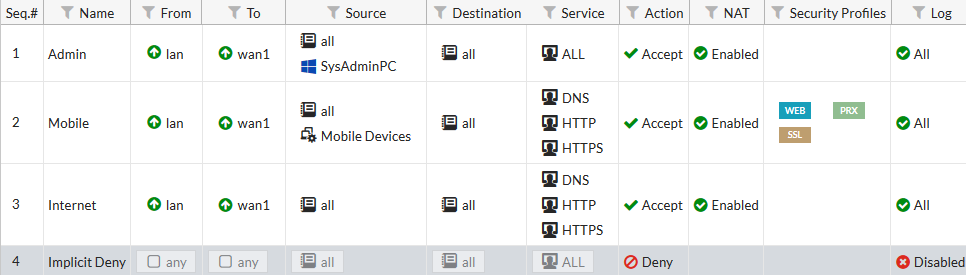
Learn more about FortiGate solutions (content in English)
SonicWall
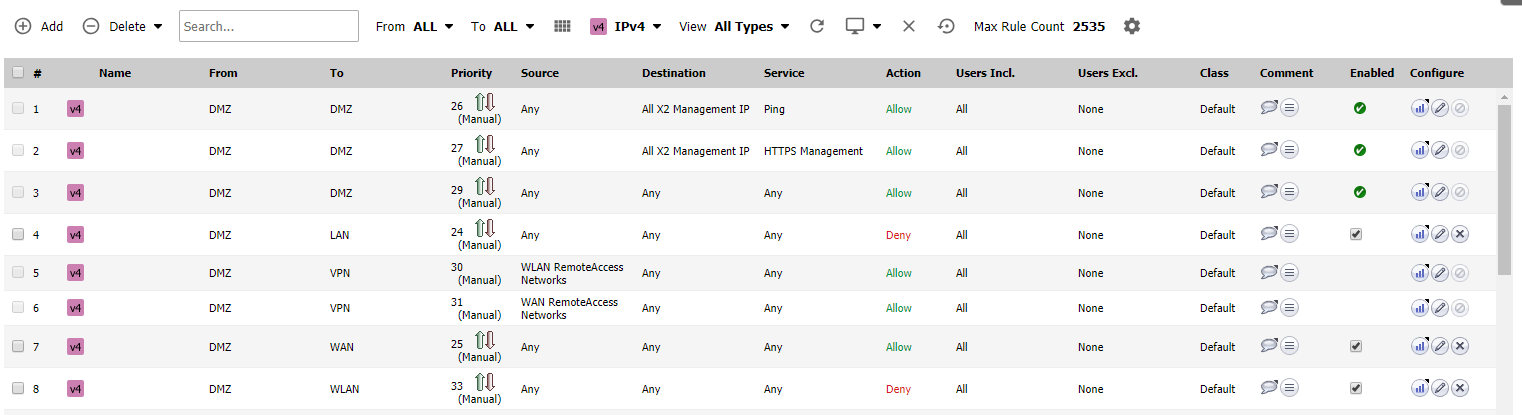
Learn more about SonicWall solutions
Lumiun
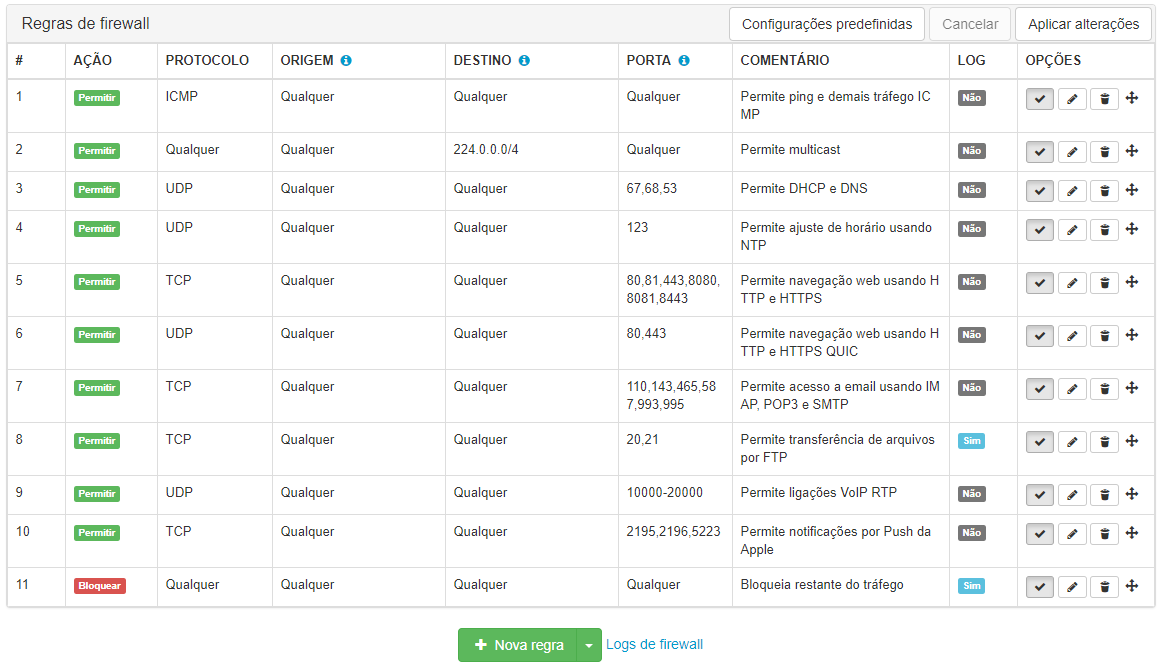
Learn more about the Lumiun Firewall
Sophos
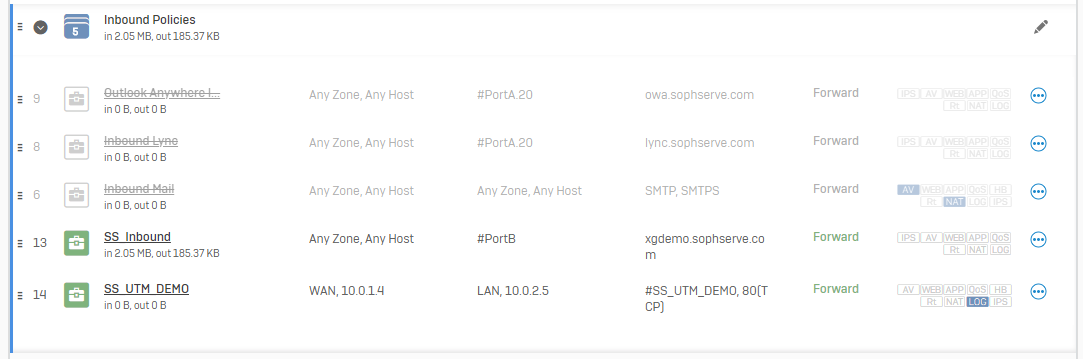
Learn more about the Sophos Firewall
pfSense
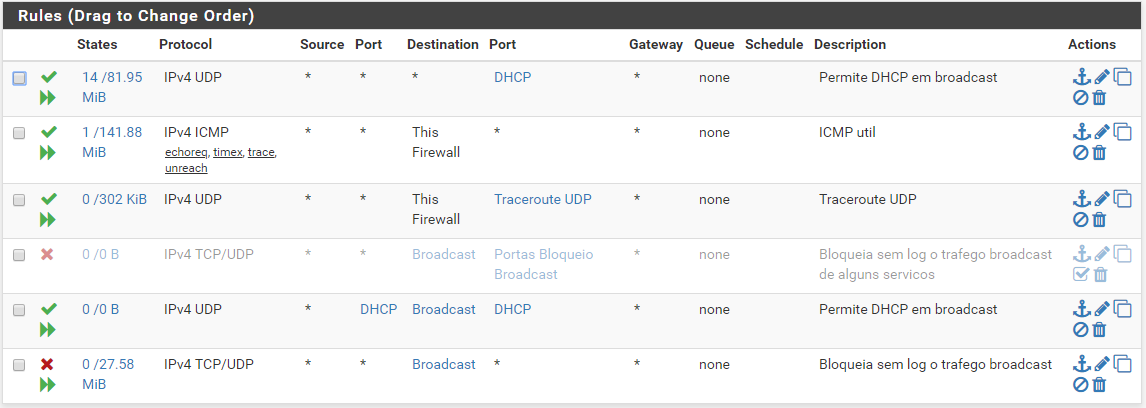
Learn more about the pfSense solution (content in English)
Linux iptables
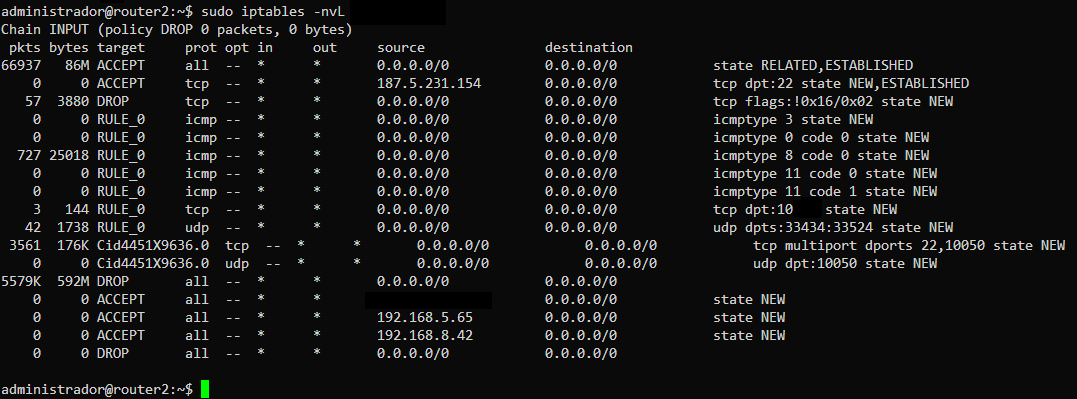
Learn more about netfilter and iptables (content in English)
Conclusion
Yes, your network needs the protection of a firewall at the boundary with other untrusted networks, such as the internet.
Unless: there are no devices on that network; or that these devices and their systems are permanently free of vulnerabilities (both old and those yet to be discovered); and only information whose loss or publication is irrelevant circulates on that network – in that case, a firewall is not needed.
Therefore, it is understood that it is usually important to have a properly configured firewall protecting your network.
It is the responsibility of those in charge of business management and Information Technology to adopt, maintain, and review actions aimed at protecting company information. Protecting the perimeter of the company's network is an important action for the security of the network and the information that travels through it.
To implement a new firewall on your network accurately and effectively, with minimal disruption and complications, seek to understand which solution is best suited to your company's size and profile. Features such as predefined configuration policies, firewall rule templates, cloud-based management, and ongoing technical support, offered by some solutions, can make a significant difference in the secure and reliable deployment and operation of the solution.
Until later!


6 comments
Comments closed